

Free
Free
Forever, no commitment
A loyalty card in Wallet and a QR code. Try Walio with no risk.
Feature
Hosting a tasting, a workshop or a night with a band? Sell tickets to it as a pass in Apple and Google Wallet. The customer keeps the ticket on their phone next to their loyalty card, and you just scan it at the door. No paper and no extra app.
Tickets usually run separately: a spreadsheet, a PDF in an e-mail and manual check-in at the door.
In Walio a ticket is a Wallet pass next to the loyalty card. At the door you just scan it.
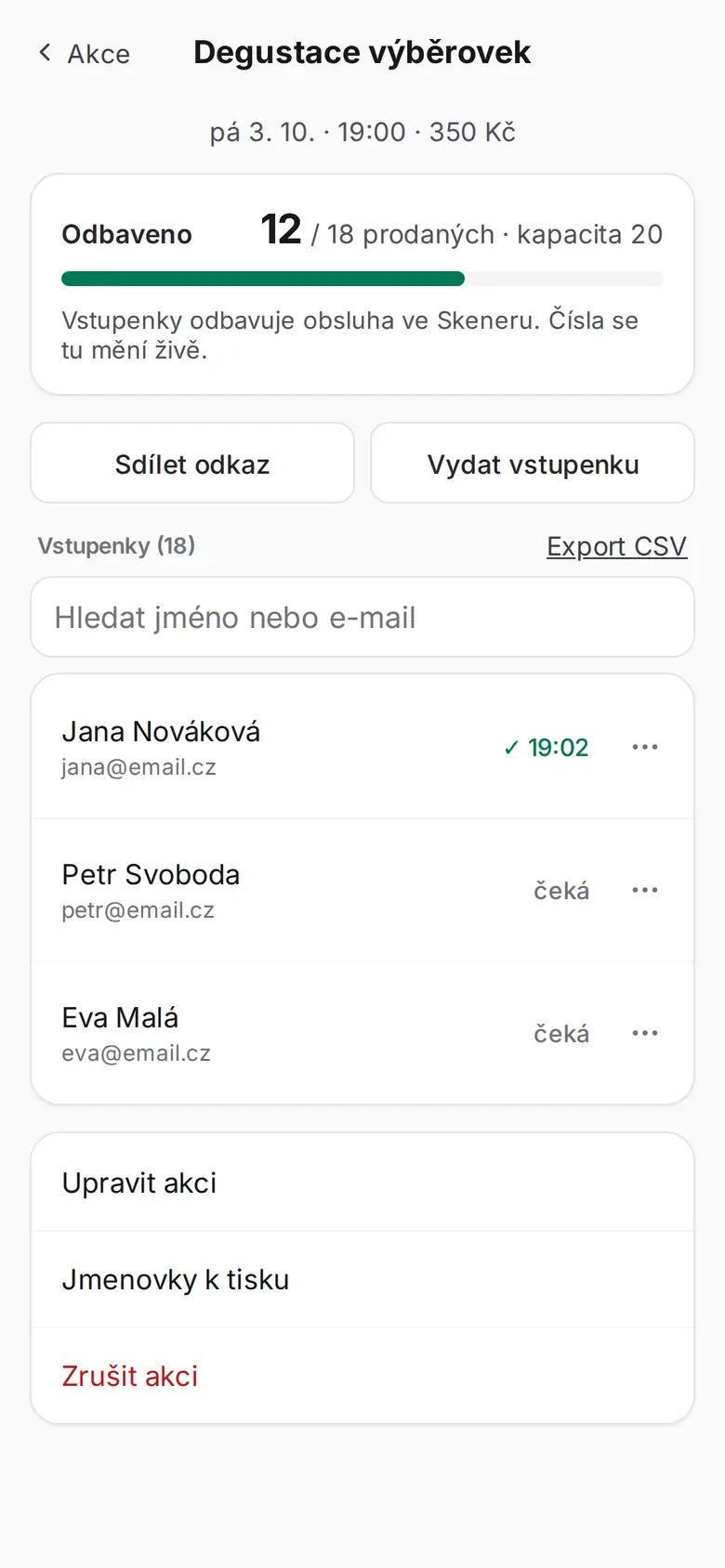
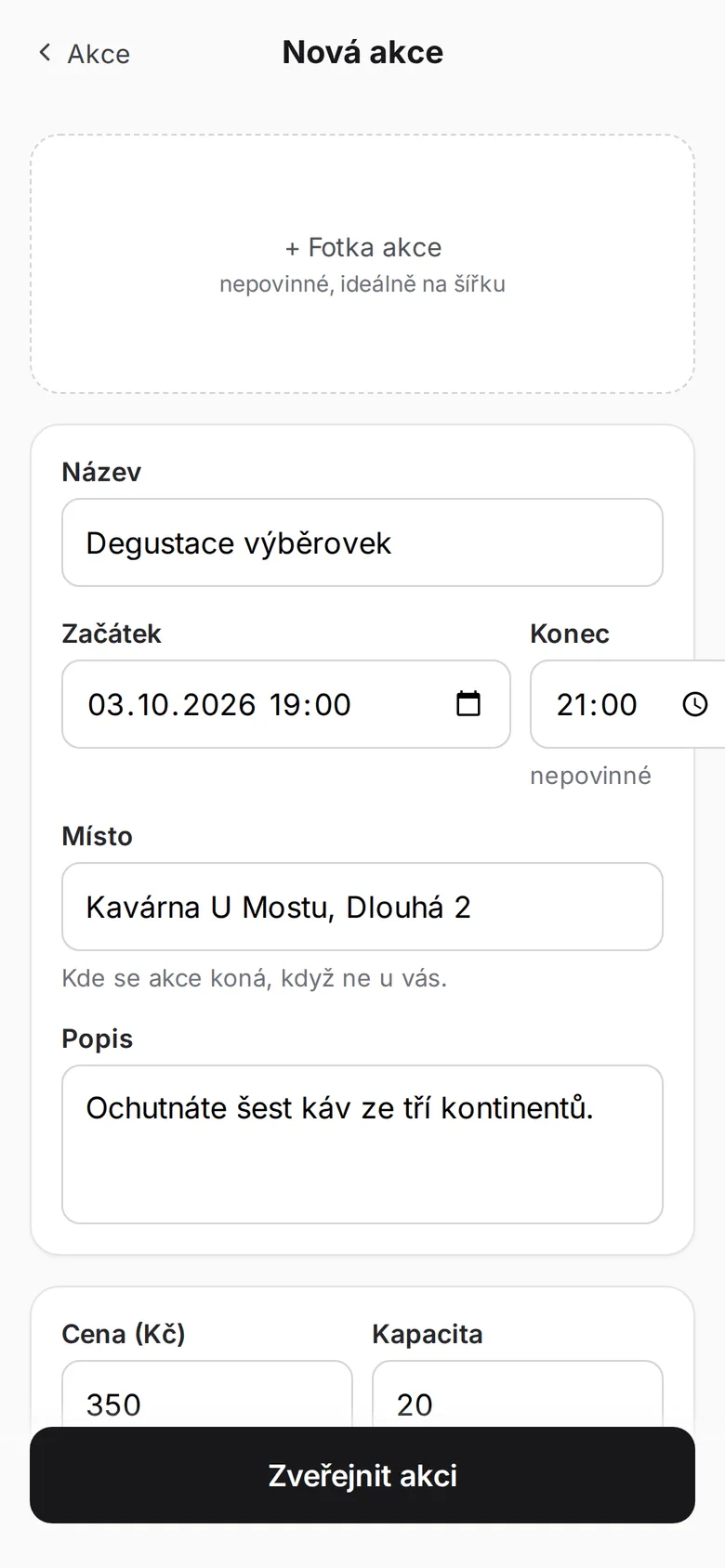
In Settings you switch on ticket sales and create an event: name, date, price and number of tickets.
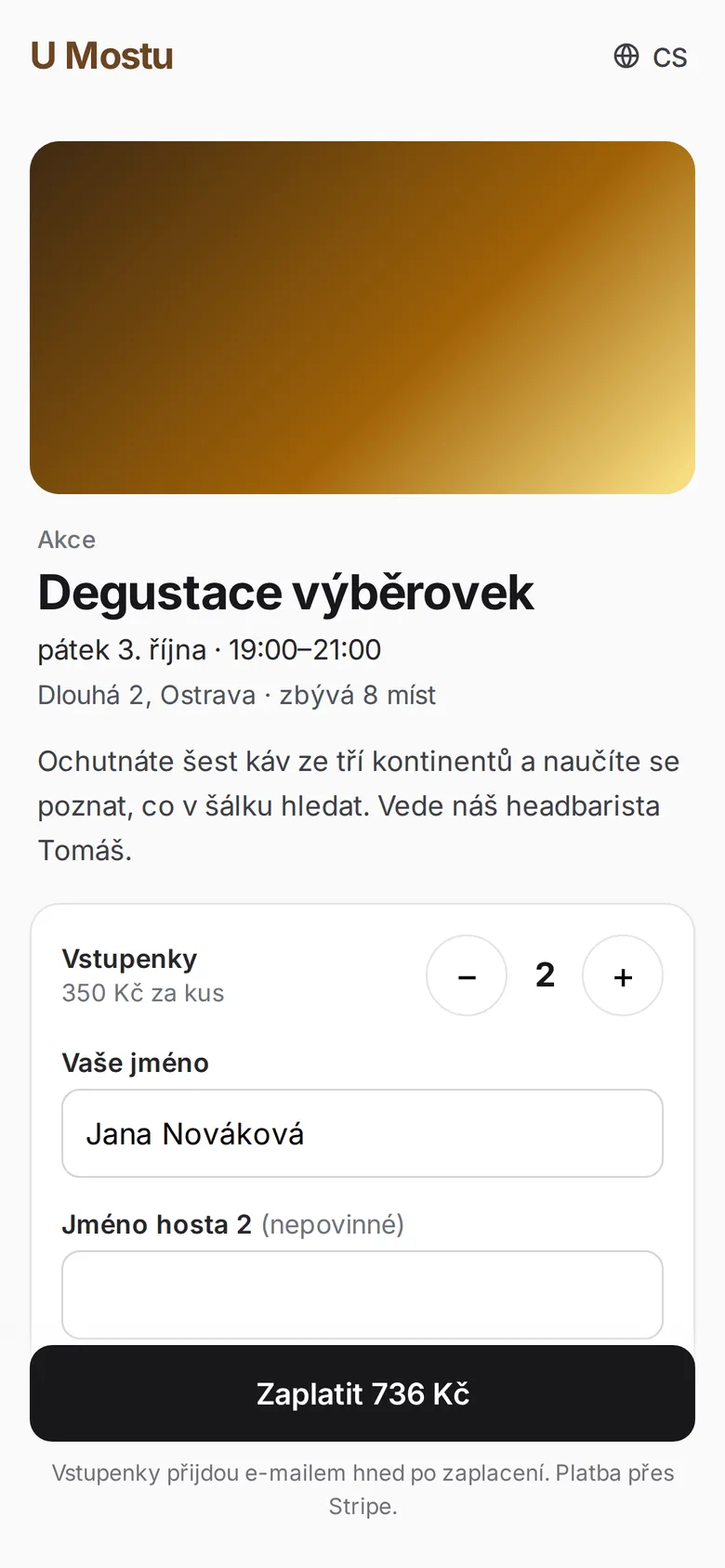
The customer buys the ticket and saves it as a pass in Apple or Google Wallet, next to their loyalty card. They pay the service fee.
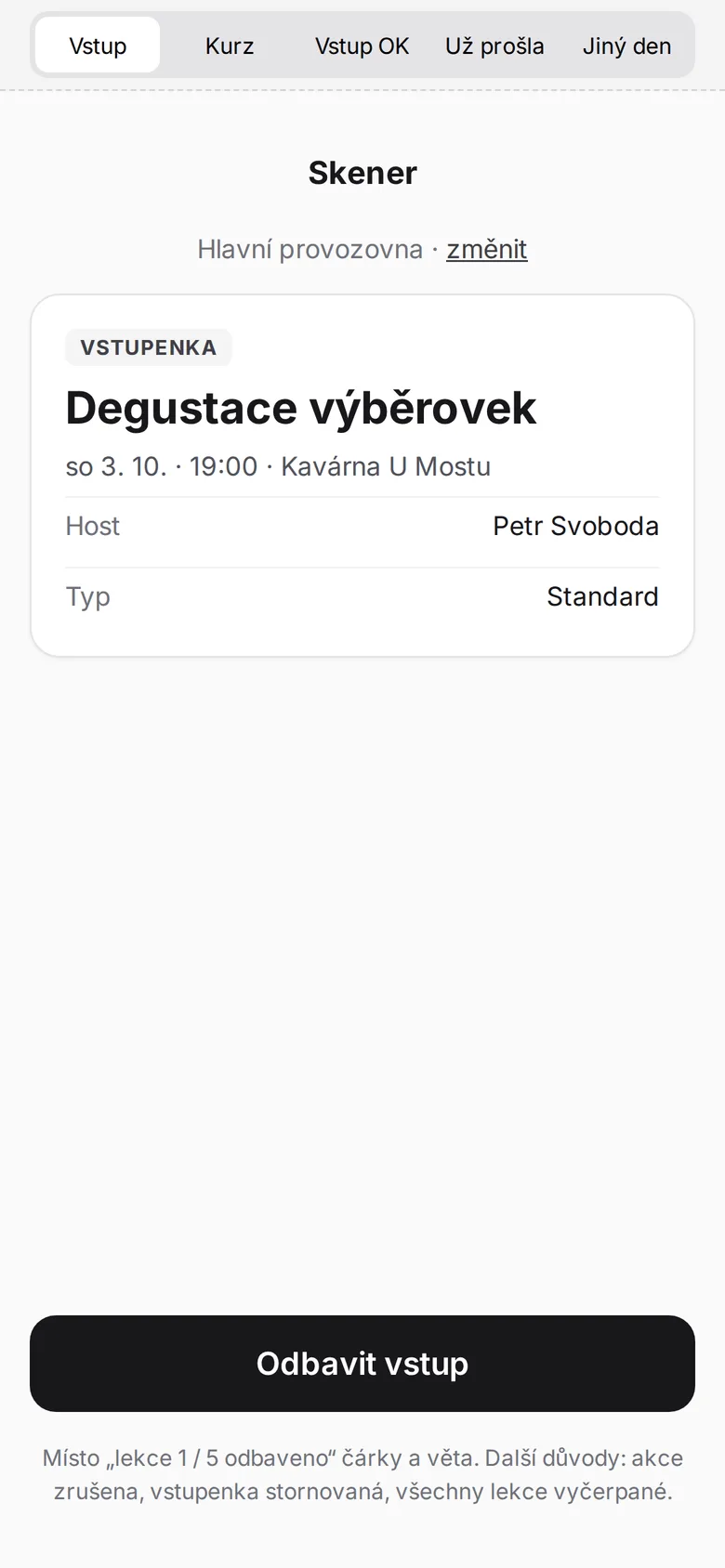
At the event you just scan the ticket from the phone and see who has arrived. No paper, no ticking names off by hand.
Checked in ✓ – enjoy the experience! 🎟️
At the entrance you just scan the ticket, exactly like a loyalty card. No hunting for a PDF in an e-mail and no paper lists.
Arrives the moment you scan the ticket at the door. It won’t pass a second time.
New date: 14 November 2026 at 19:00
Move the event and the ticket on the phone updates, with a notification to the guest. No one to e-mail.
Arrives after you change the date or venue in the portal.
Checked in! Session 3/10 🎓
One ticket for the whole course. Each check-in adds a session and the attendee sees how many are done.
Arrives at check-in for every session.
Ticket status: Cancelled. Sorry, the event is not taking place.
If the event is off, the ticket stops being valid and the guest finds out right away, not at a locked door.
Arrives as soon as you cancel the event in the portal.
Texts Walio sends on its own when the ticket changes.
The ticket is saved to Apple or Google Wallet next to the loyalty card. The customer has it on their phone and doesn't have to print or download anything.
Ticket sales are available regardless of plan. You switch it on in Settings and can start selling right away.
The service fee for the sale is added to the buyer's total. Nothing is deducted from your ticket price, so you receive the full amount.
The ticket and the loyalty card live on the same phone. That makes it natural to bring an event visitor into your loyalty programme too.
Tickets appear on your public business profile next to the card and opening hours. The customer has both events and the card behind one link.
A clear, simple app. Statistics, your customer database and the loyalty card in one place, no training, no clutter.
Choose the plan that fits your needs. See the full overview in pricing.
Free
Forever, no commitment
A loyalty card in Wallet and a QR code. Try Walio with no risk.
$41 / mo
with annual billing (otherwise $49)
Wallet card, QR code, basic statistics. Everything for the first step.
$75 / mo
with annual billing (otherwise $89)
Push campaigns and a monthly report on top. Customers come back on their own.
$117 / mo
with annual billing (otherwise $139)
Personal automation, offer recommendations and unlimited push campaigns.
Have more questions? Write to us or call. We'll figure it all out together.
The ticket is a second type of pass in Apple or Google Wallet, much like a loyalty card. The customer saves it to their phone and you just scan it at the door. They need no app and no paper ticket for it.
Ticket sales are part of every plan, including the free one. You switch it on in Settings and can create an event and sell tickets straight away.
Nothing is deducted from your ticket price. A service fee for the sale is added on top and paid by the buyer, so you receive the full amount for the ticket.
No. The ticket is saved to Apple or Google Wallet, which the customer already has on their phone out of the box. They don't need to download any app.
Both the ticket and the loyalty card are passes in the same wallet and appear on your public business profile. That makes it easy to bring an event visitor into your loyalty programme.
Yes, if it runs on WooCommerce. Our plugin issues the ticket once the order is paid and stores the links on the order and in the confirmation e-mail. The service fee is added to the buyer's cart. You download the plugin in the portal under Integrations, and we're happy to help with the setup.
A ticket as a Wallet pass next to the loyalty card, check-in by scanning at the door. Try Walio for free and sell your first tickets today.