

Free
Free
Forever, no commitment
A loyalty card in Wallet and a QR code. Try Walio with no risk.
Feature
Selling online as well? The official Walio plugin for WooCommerce sends every paid order to Walio and the stamps land on the customer's loyalty card. Anyone who doesn't have a card yet is offered one right on the thank-you page, and the stamps wait for them.
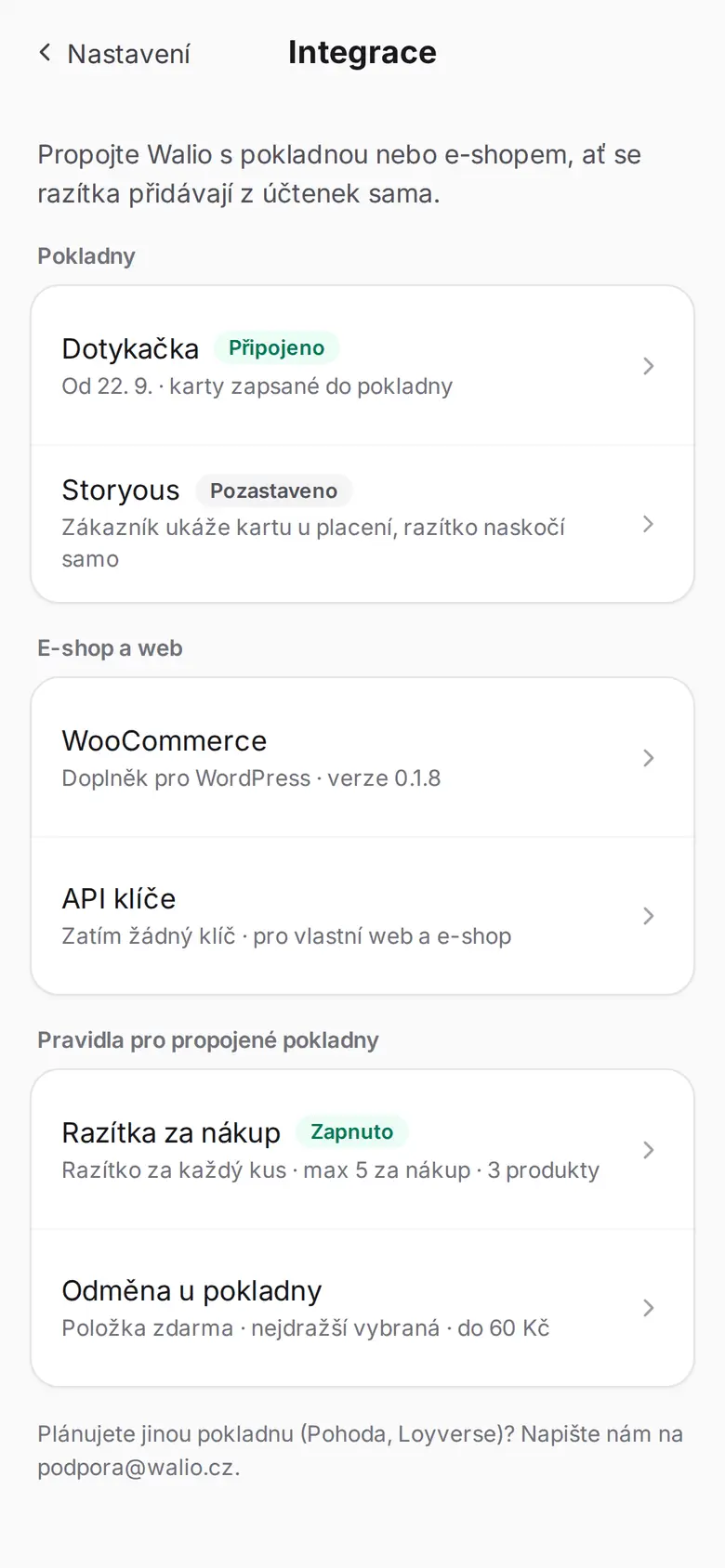
Customers who buy from you online every week often aren’t in your loyalty programme at all.
The WooCommerce add-on sends each paid order to Walio, and stamps are added by the rules you set in the portal.
You download the Walio plugin for WooCommerce straight from the portal, under Integrations, and upload it to WordPress. You paste in an API key created in the same place and switch the loyalty module on. It starts in dry-run mode: it writes what it would do into the order notes, but sends nothing.
A stamp per order, per every $20, or per item. Plus a minimum order amount, a cap per order and a choice of whether tickets count towards it. All of it lives in the portal, not in WordPress.
After the order is paid, Walio finds the card by the e-mail or phone number on the order and adds the stamps to it. If there's no card, the thank-you page offers one and the stamps wait 90 days.
+2 stamps! You have 6/10 ⭐
The customer buys and the stamps land on the card in their phone. Nothing to scan, no code to enter.
Arrives as soon as the shop marks the order as paid. Walio finds the card by the e-mail or phone on the order.
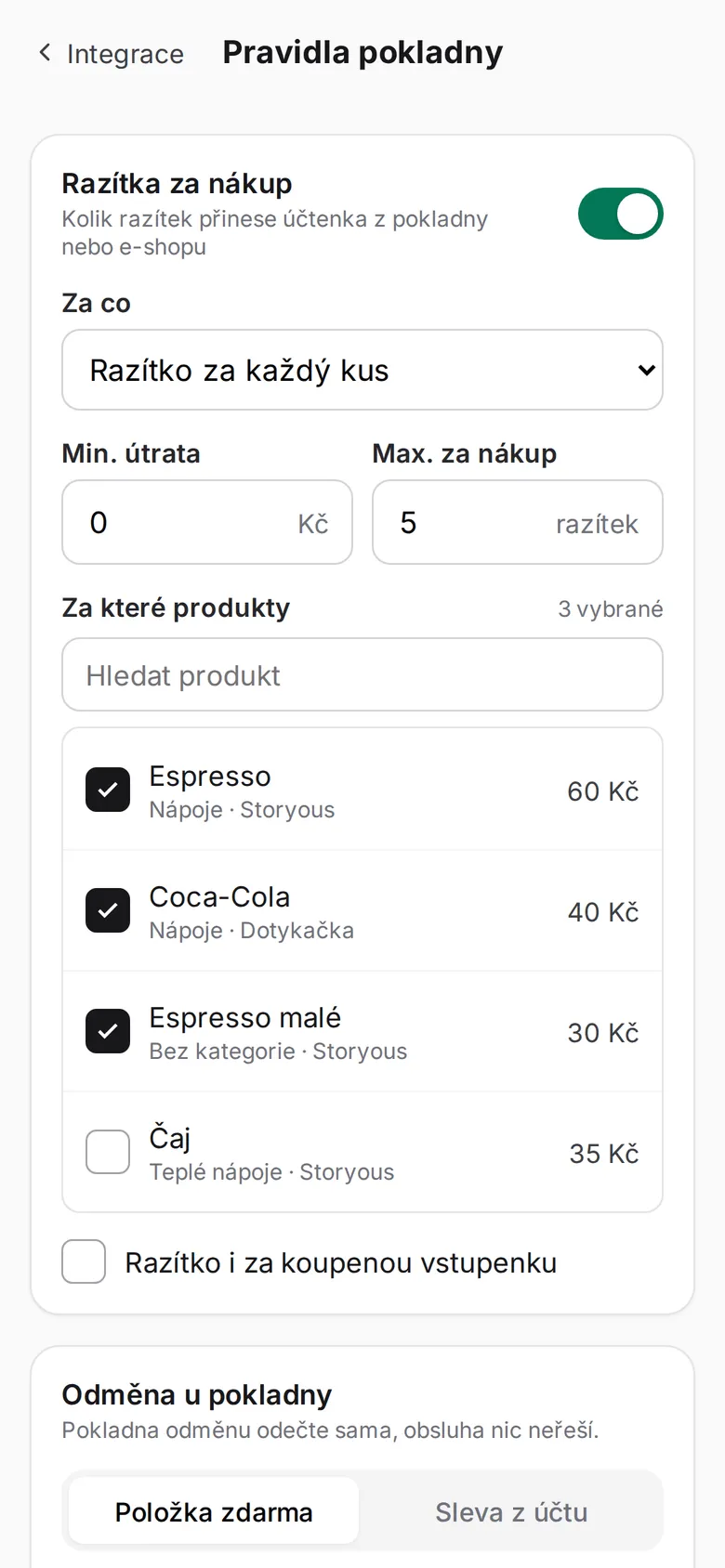
A stamp per order, per every $20 or per item – with a minimum amount and a cap per order, so a clearance sale doesn't turn into free rewards. Selected categories can be excluded.
You set the rules in the portal, without touching the shop or till.
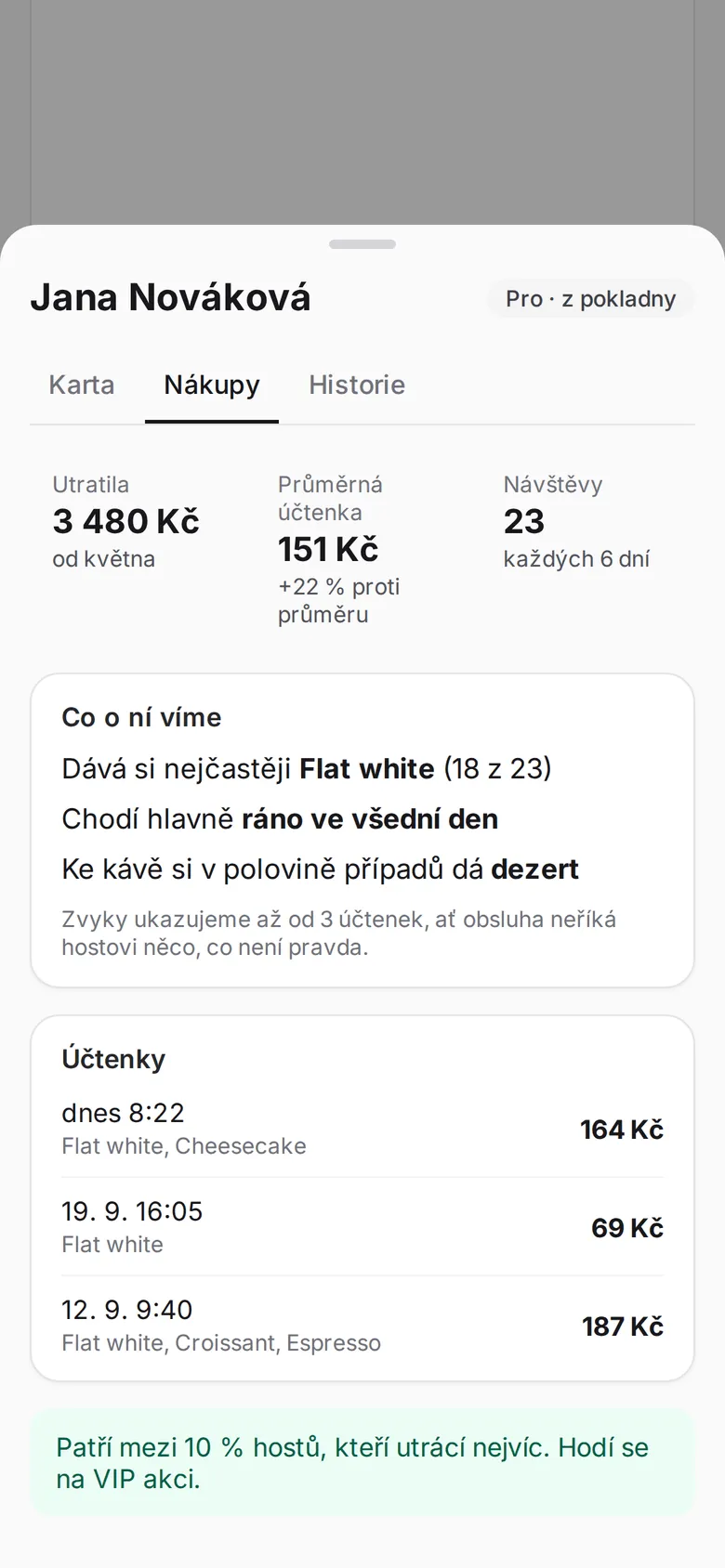
For every customer you see their spend, average receipt and what they order most.
From the receipts of the connected till or shop.
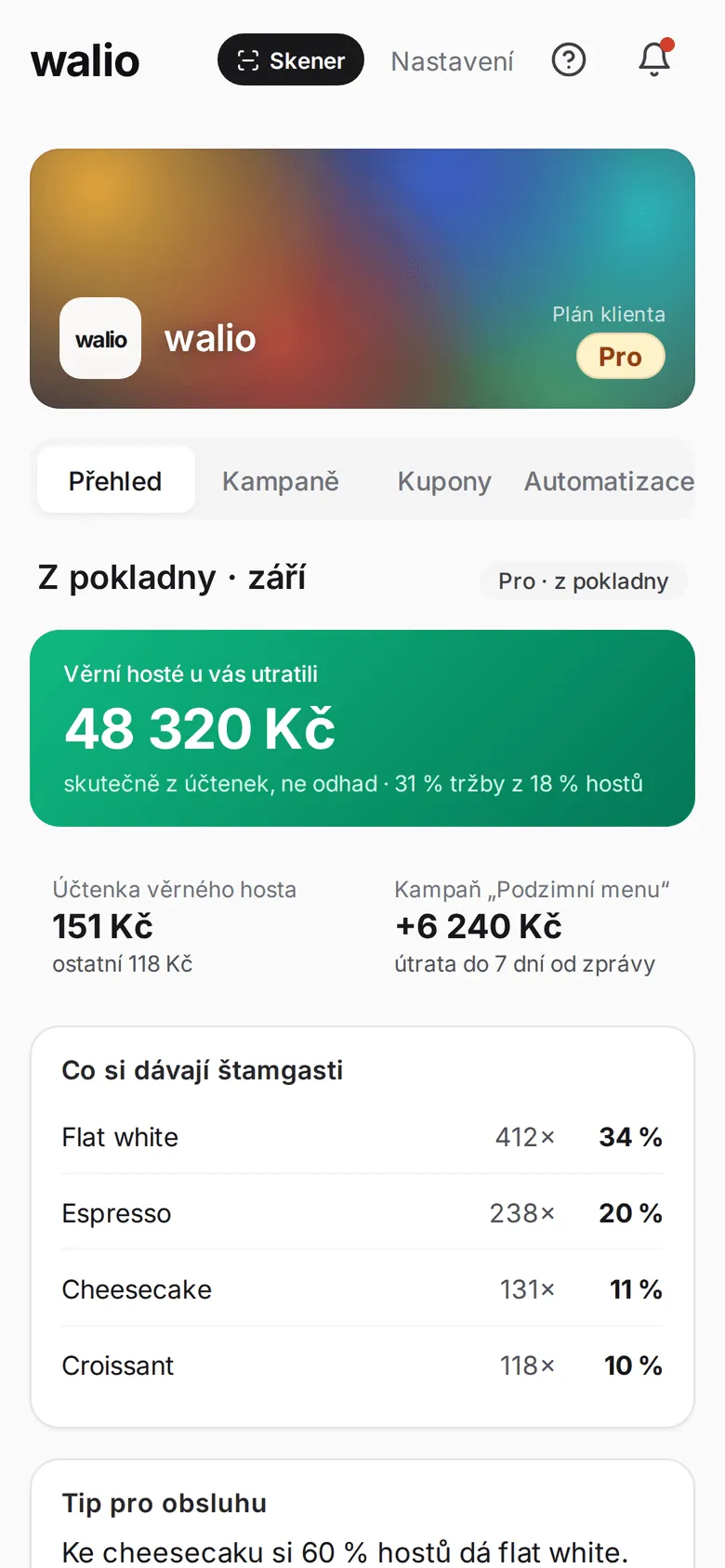
Real spend by cardholders from receipts, not an estimate. And what your regulars order most.
A monthly overview in the portal.
The stamp message is a text Walio sends on its own. The screens are from the portal.
Walio decides how many stamps an order is worth. Changing the rate means no work in WordPress and no plugin update, so you can do it yourself whenever you like.
Stamps for a purchase wait 90 days. As soon as the customer saves a card with the same e-mail address, the stamps are added to it retroactively.
The thank-you page and the confirmation e-mail tell a new customer how many stamps are waiting for them. There is no better moment to hand out a loyalty card online.
A full refund or a cancelled order removes the stamps again. Without that, rewards could be collected for free: buy, get a stamp, ask for your money back.
The same plugin can issue an event ticket into Apple and Google Wallet once an order is paid. Tickets are in every plan; stamps for purchases start with Pro.
Choose the plan that fits your needs. See the full overview in pricing.
Free
Forever, no commitment
A loyalty card in Wallet and a QR code. Try Walio with no risk.
$41 / mo
with annual billing (otherwise $49)
Wallet card, QR code, basic statistics. Everything for the first step.
$75 / mo
with annual billing (otherwise $89)
Push campaigns and a monthly report on top. Customers come back on their own.
$117 / mo
with annual billing (otherwise $139)
Personal automation, offer recommendations and unlimited push campaigns.
Have more questions? Write to us or call. We'll figure it all out together.
WooCommerce on WordPress – you need WordPress 6.4, WooCommerce 8.0 and PHP 8.1 or newer. The plugin is official, comes from us, and you download it in the portal right next to your API key. We don't support other platforms yet, but do get in touch – we prioritise them by what customers ask for.
The Pro plan. Ticket sales in the same plugin, on the other hand, are part of every plan, including the free one.
By the contact details on the order – the e-mail address or the phone number. If a card is found, the stamps go onto it. If not, they wait 90 days until the customer saves a card with the same contact details.
A full refund or a cancellation takes the stamps back. After a partial refund the customer keeps them: an order doesn't reliably say which item is coming back, and we can't remove stamps by hand yet. If you want to plan for it, the cap per order helps.
No. The plugin installs like any other and starts in dry-run mode: it writes what it would do into the order notes, but sends nothing. You switch it to live once the numbers look right to you.
No. Only the order's line items count, not shipping. Whole product categories, and tickets, can be excluded too – in the rules in Walio.
Stamps for purchases in WooCommerce, rules under your control in Walio, and a loyalty card offered the moment a customer has paid. Start free – you download the plugin in the portal and we're happy to help with the setup.